

Adding problems and goals to Patient's Care plan in Epic

Process of Adding Problems and Goals to a Patient's Care Plan in Epic
Adding problems and goals in Epic EHR system shapes the entire direction of care. Many nurses rush through this step without being aware of the impact it will have on outcomes. When done right, it is a living roadmap that is used for every clinical choice.
Why the Problem List Is More Than a Diagnosis
The problem list in Epic is more than a diagnosis record! It represents the patient's life and working experience. Nurses who treat it as a checklist miss its real clinical power.
When creating this list, consider other conditions in addition to medical conditions. This includes social determinants, stressors to mental health and mobility issues. Epic now integrates direct support for SDOH-influenced issues in the nursing care plan module.
Steps to Add a Problem in Epic's Care Plan
Step | What to Do |
1 | Open the Care Plan activity in Epic |
2 | Click "Add Problem" and search by keyword |
3 | Link the problem to a SNOMED or ICD code |
4 | Set priority status and date of onset |
Every problem you add should have some actionable content. Ambiguous notes such as "altered health" can cause confusion when handing off to others. Be specific so the next nurse is able to know exactly where to concentrate.
Also Read: Concierge Nursing Practice
Linking Goals Directly to Each Problem
Goals need to be linked to a particular problem. Under each problem listed, you can attach measurable goals in Epic. This connection is the key to the writing of individualized care plans.
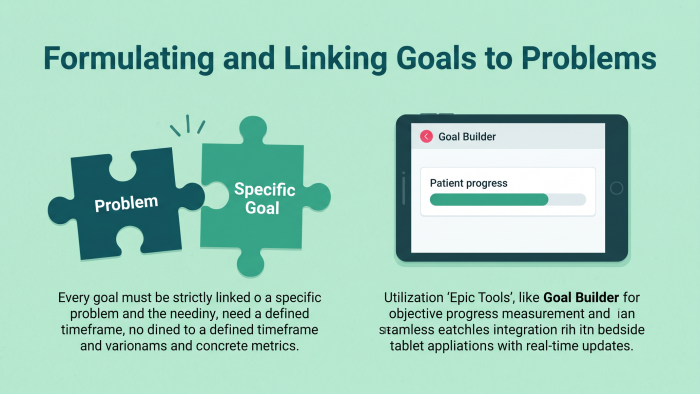
A goal must have a time frame and a metric. Patient will ambulate is incomplete without distance, frequency and time. Epic's goal builder now features a built-in scales feature to help with measurement. Epic also allows users to assign goal status updates from the bedside tablet.
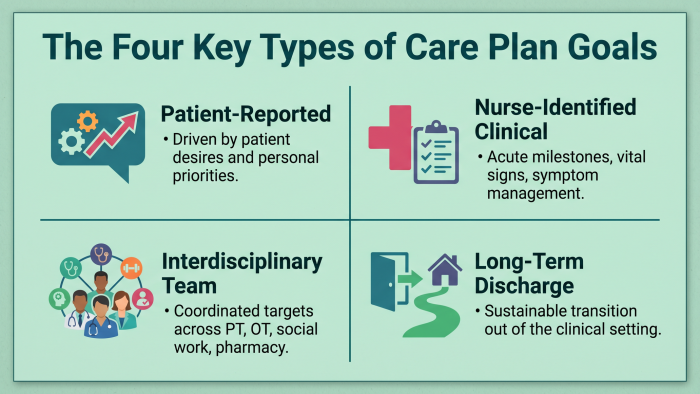
Goal Types You Can Set in Epic
Patient-reported goals
Nurse-identified clinical goals
Interdisciplinary team goals
Long-term discharge goals
Each type is part of a different Epic workflow. Having the right field to use prevents data loss and duplication. Collaborative goals must be signed off by at least another discipline.
Common Mistakes That Weaken Care Plans
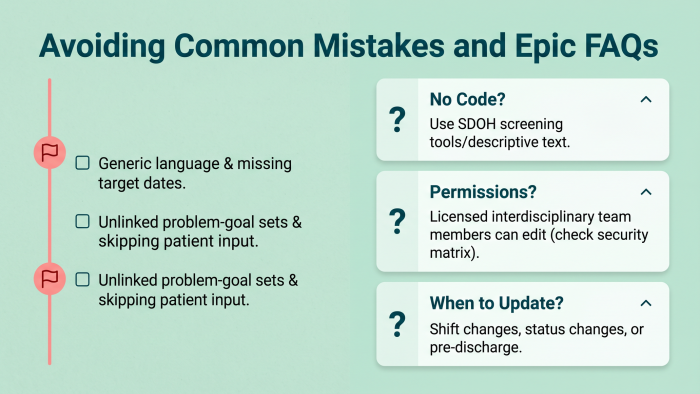
Generic goal language
Missing target dates
No problem-goal linkage
Skipping patient input
Epic is anticipated to use AI to recommend goals for future updates of the platform based on a patient's current diagnoses. This will decrease documentation time and increase care plan consistency between units.
Questions and Answers on Adding Problems and Goals to Care Plans
Can I add a problem without a diagnosis code?
Yes, Epic does support free text problems in certain workflows. But coded problems work better with the outcomes report and quality measures.
Who can edit the care plan in Epic?
Any licensed clinician who has access can add and edit entries. The majority of facilities will only allow charge nurses or care coordinators to delete.
How often should goals be updated?
Goals should be reviewed on a per shift basis and should be formally updated at least every 24 hours. Goals that are outdated are identified as a documentation gap during chart audit.